
Large Language Models (LLMs) are incredibly capable, but out-of-the-box foundation models don’t know your business’s data, your specific coding patterns, or your unique brand voice. To bridge that gap, you need fine-tuning.
Historically, fine-tuning meant wrestling with overly abstract libraries, complex distributed training configurations, or messy dependency hell.
Enter LitGPT by Lightning AI: an open-source, highly optimized repository that provides clean, raw, from-scratch PyTorch implementations of 20+ top-tier LLMs (like Llama 3, Mistral, Gemma, and Qwen) with absolutely zero unnecessary abstractions. It gives developers total control, enterprise-level optimization, and recipes to pre-train, fine-tune, and deploy models seamlessly.
In this post, we’ll walk through how to go from a raw dataset to a fully fine-tuned LLM using LitGPT and Parameter-Efficient Fine-Tuning (LoRA).
Why LitGPT?
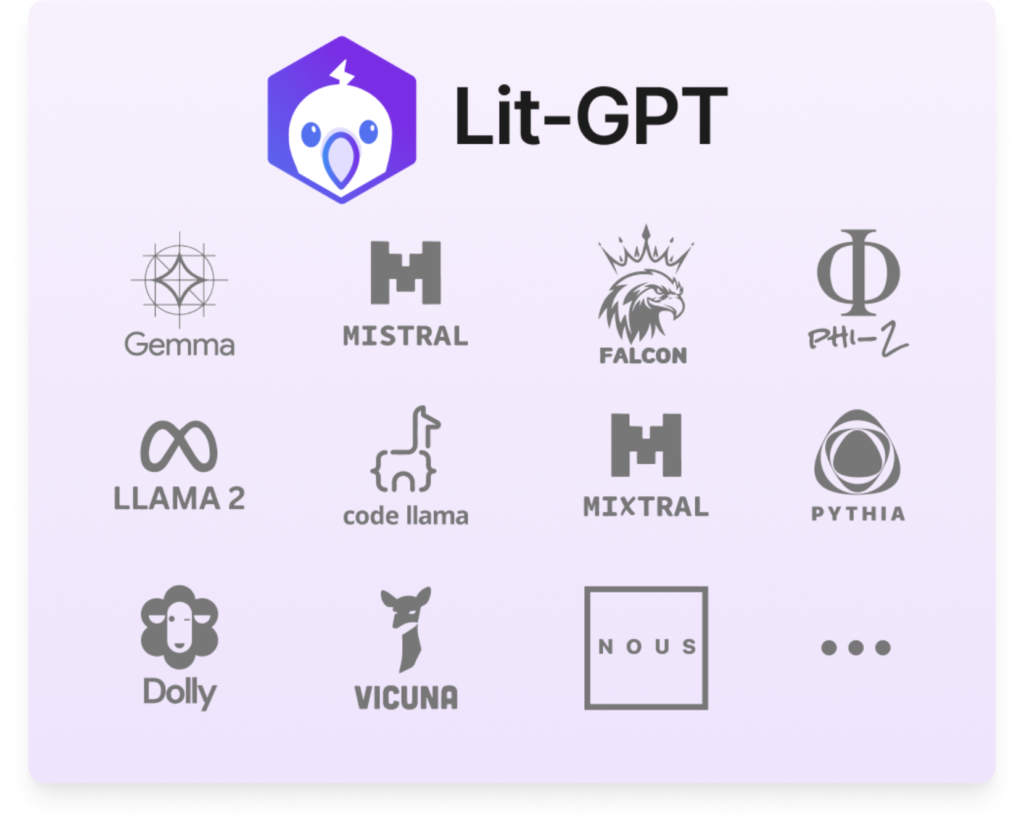
If you’ve used other popular LLM wrappers, you might have run into walls trying to debug deep inside nested abstraction layers. LitGPT takes a refreshing approach:
- From-Scratch implementations: Every model architecture is implemented in simple, single-file PyTorch scripts. No complex inheritance chains.
- Highly Optimized: Powered by PyTorch Lightning and Fabric, it supports state-of-the-art accelerators like Flash Attention, FSDP (Fully Sharded Data Parallel), and 4-bit/8-bit quantization.
- Proven Recipes: Ready-to-use configurations optimized for memory and cost efficiency, capable of scaling across 1 to 1000+ GPUs.
Step 1: Installation
Getting started with LitGPT is straightforward. You can install it natively via pip with all necessary extras:
Bash
pip install 'litgpt[all]'
Tip: If you prefer to modify the source code directly or work out of a repository clone, you can install it from source using uv or pip:
Bash
git clone https://github.com/lightning-ai/litgpt
cd litgpt
pip install -e ".[extra]"
Step 2: Choose and Download a Foundation Model
LitGPT supports a wide spectrum of open-weights models. To see a full list of what’s available to download, run:
Bash
litgpt download list
Let’s say we want to fine-tune Microsoft’s highly efficient Phi-2 model (or you could easily swap this out for meta-llama/Meta-Llama-3-8B-Instruct). Download the base weights using a single command:
Bash
litgpt download microsoft/phi-2
Step 3: Preparing Your Dataset
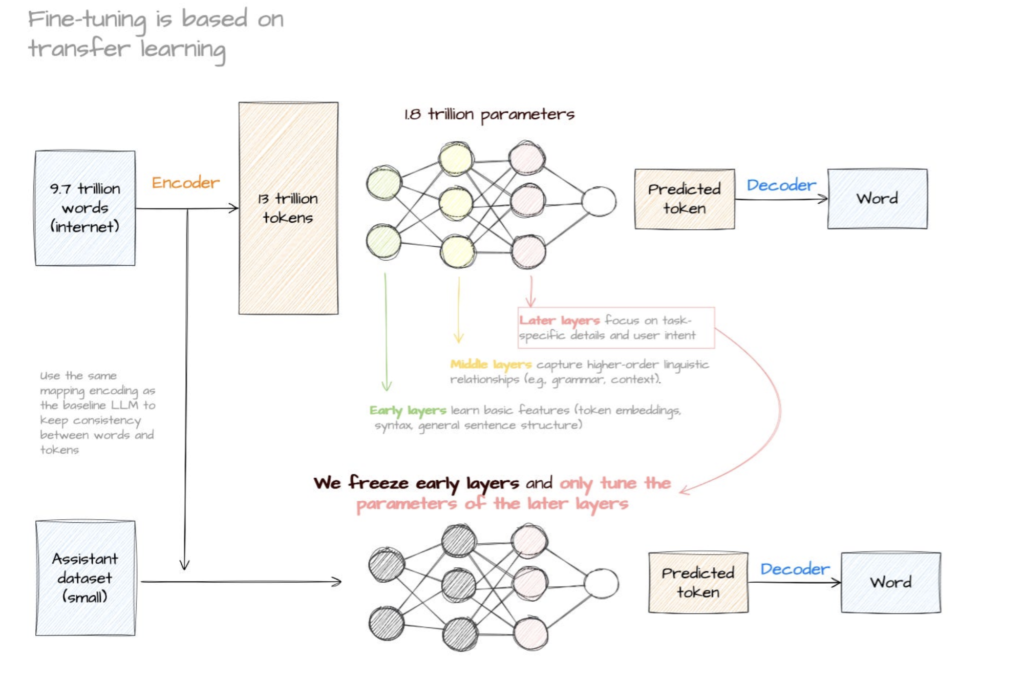
To teach our LLM how to perform specific tasks, we need to supply instruction-tuning data. LitGPT natively supports popular datasets like Alpaca or Dolly, but it’s incredibly easy to use your own custom dataset using a JSON format.
Create a file named custom_data.json with your instruction-output pairs:
JSON
[
  {
    "instruction": "Convert the following technical jargon into a simple sentence.",
    "input": "We need to leverage enterprise-grade cloud native paradigms to optimize our throughput.",
    "output": "We need to use reliable cloud software to make our system faster."
  },
  {
    "instruction": "Convert the following technical jargon into a simple sentence.",
    "input": "The system architecture exhibits significant technical debt resulting in latency degradation.",
    "output": "The code is old and messy, which is making the app slow."
  }
]
Step 4: Fine-Tuning with LoRA (Low-Rank Adaptation)
Full fine-tuning (modifying every parameter in a multi-billion parameter model) is incredibly resource-intensive, requiring massive GPU clusters. For most use cases, LoRA (Low-Rank Adaptation) or QLoRA provides comparable performance at a fraction of the cost.
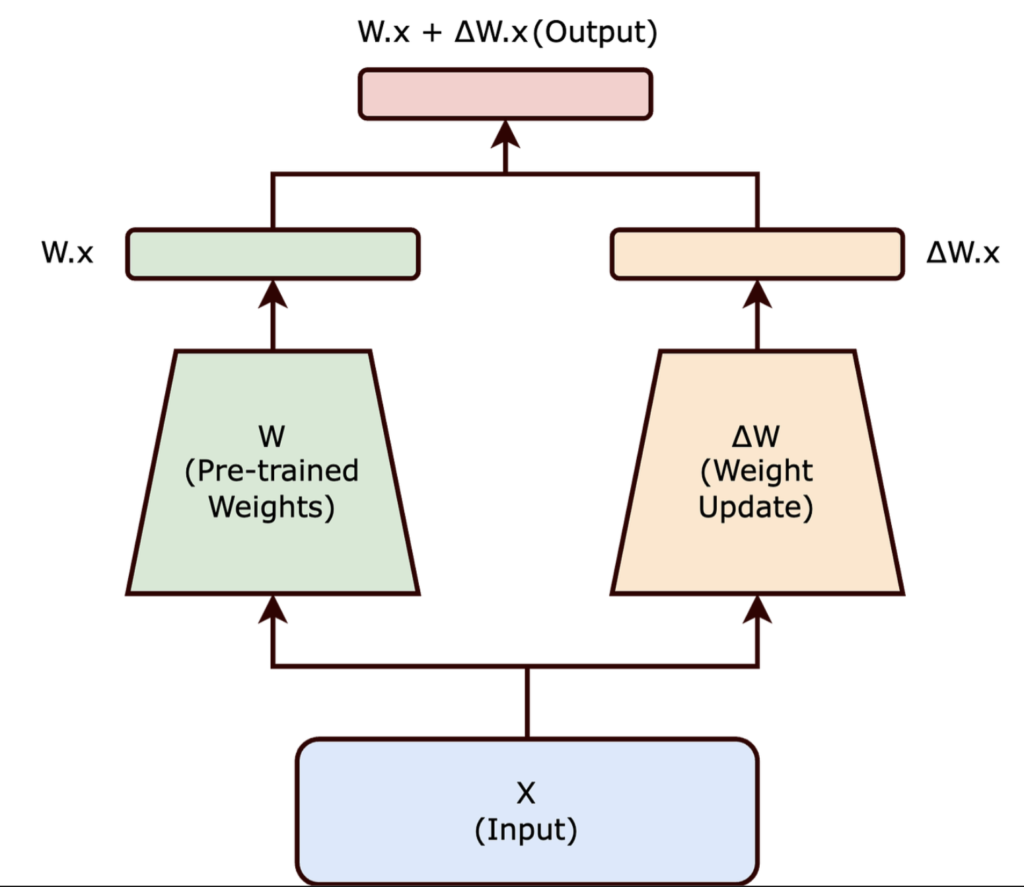
LitGPT organizes training variables into unified recipes. You can point directly to a built-in recipe configuration file from LitGPT’s config_hub or modify parameters via the CLI:
Bash
litgpt finetune_lora microsoft/phi-2 \
  --data JSON \
  --data.json_path data/custom_data.json \
  --out_dir out/phi2-custom-finetuned \
  --train.max_steps 100
Want to optimize for low GPU memory?
If you are working on a single consumer GPU, you can pass a quantization strategy (like bnb.nf4 for 4-bit QLoRA) to drastically cut down VRAM usage:
Bash
litgpt finetune_lora microsoft/phi-2 \
  --quantize bnb.nf4 \
  --data JSON \
  --data.json_path data/custom_data.json \
  --out_dir out/phi2-custom-finetuned
Step 5: Test Your New Model
Once training is complete, your optimized adapter weights will be saved into the out/phi2-custom-finetuned directory. LitGPT provides an immediate way to chat with or test your freshly tuned model from the command line:
Bash
litgpt generate microsoft/phi-2 \
  --finetuned_path out/phi2-custom-finetuned/final/lit_model_finetuned.pth \
  --prompt "Convert the following technical jargon into a simple sentence. Input: Utilizing paradigm shifts to maximize stakeholder alignment."
Expected Output:
We need to change how we work so everyone agrees on the goal.
Step 6: Export Back to Hugging Face
One of LitGPT’s superpower features is its zero-vendor-lock-in philosophy. If your production pipeline relies on Hugging Face’s transformers library, you can merge your LoRA weights and export the checkpoint back into standard HF format with two commands:
- Merge the LoRA weights:Bash
litgpt merge_lora out/phi2-custom-finetuned/final/ - Convert to Hugging Face format:Bash
litgpt convert_from_litgpt out/phi2-custom-finetuned/final/ out/hf-phi2-converted/
Now, your model can be loaded natively using standard Python:
Python
from transformers import AutoModelForCausalLM

model = AutoModelForCausalLM.from_pretrained("out/hf-phi2-converted/")
Wrapping Up
Fine-tuning doesn’t have to be a black box. By cutting through heavy, convoluted codebases and exposing raw PyTorch implementations, LitGPT makes customizing LLMs reliable, transparent, and blindingly fast.
Whether you’re training tiny 1B parameter models on your local machine or scaling 70B parameters across a massive multi-node cloud infrastructure, LitGPT’s recipes have you covered.
Next Steps:
- Head over to the LitGPT GitHub Repository and give it a star!
- Dive deeper into their
config_hub/to explore hyperparameter recipes for full fine-tuning, pre-training, and evaluation.